


Track Info shows you two essential numbers about your mix: how loud it feels (LUFS) and how fast it goes (BPM). Knowing these before you start mastering helps you make smarter decisions about your settings.
What you'll need
A track loaded in Mundi Mastering app. That's all you need. Everything else happens inside the Track Info window (modal).
1. Open Track Info
First, load your track into Mundi Mastering app. Once it's loaded, click the Track Info button in the Player section (or press I) to open the window (modal).
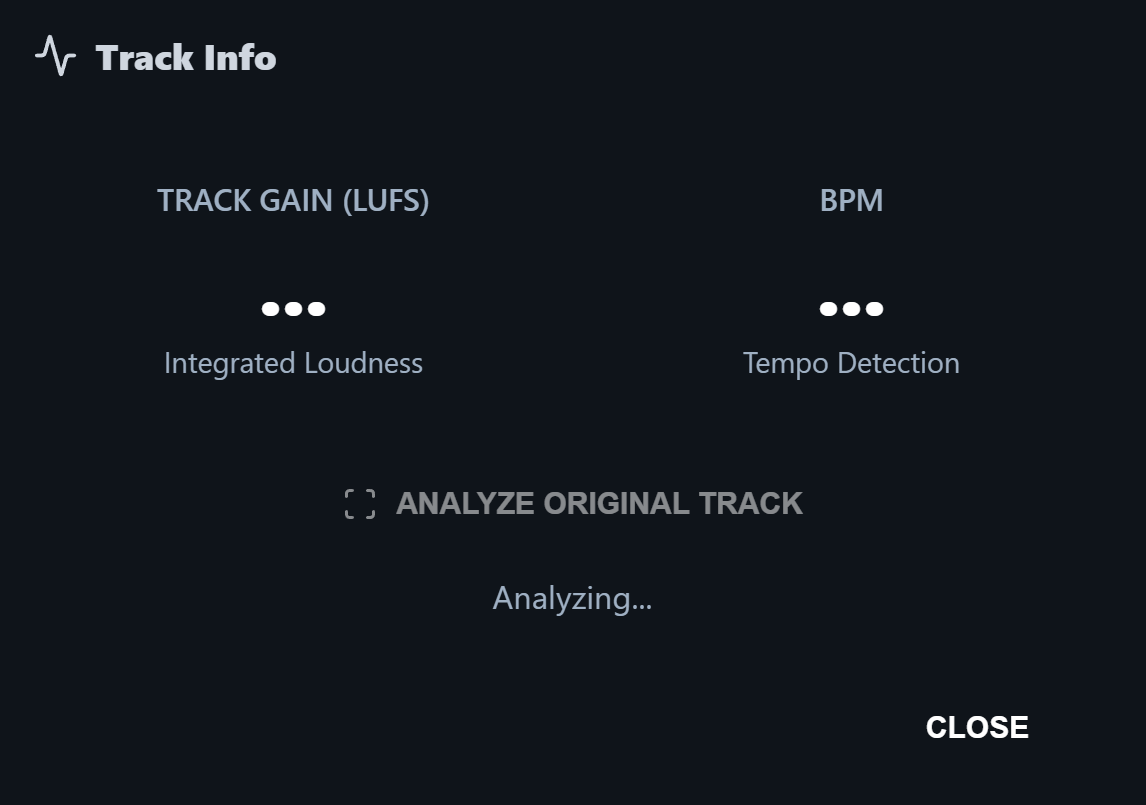
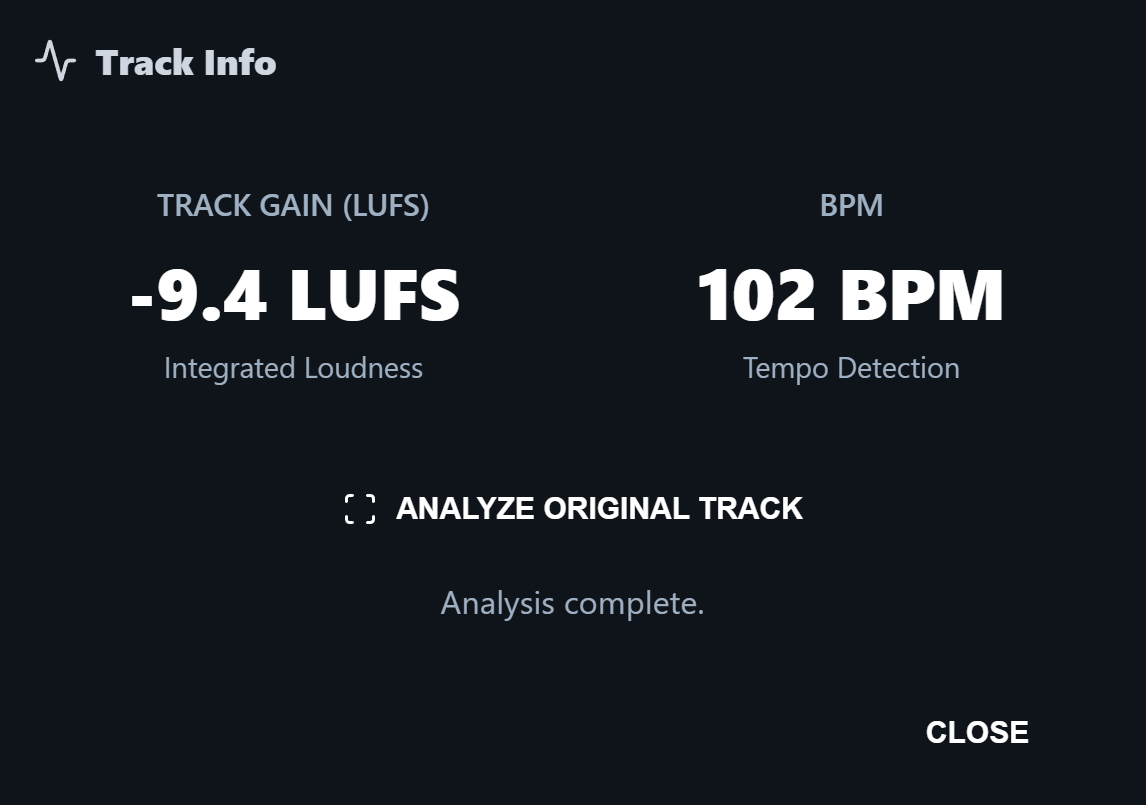
When the window (modal) opens, the values show as dots. Click Analyze Original Track to run the detection - within a few seconds LUFS and BPM appear and the status changes from Analyzing... to Analysis complete.
2. Track Gain (LUFS)
Track Gain shows your mix's Integrated Loudness in LUFS - how loud the whole track feels on average. It's the same scale streaming platforms use to normalize playback.
Typical reference points: a raw mix often sits around -16 to -20 LUFS, a streaming-ready master around -14 LUFS and a loud commercial pop or metal master around -8 to -10 LUFS.
3. BPM (Tempo Detection)
BPM tells you the track's tempo in beats per minute. Mundi Mastering app detects it from the audio when you run the analysis.
Useful for matching tracks in a setlist or playlist, applying tempo-synced effects or just confirming the tempo of a song you imported without metadata.
4. Re-analyze the track
Loaded a new version of the track? Open Track Info again and click Analyze Original Track to re-run the detection on the current audio.
Each run takes only a few seconds and the status field tells you when it's done.
Two numbers, dozens of better decisions. Track Info is small, but it's the foundation of every smart master.